From ERP to CRM System : How We Decide What a Business Really Needs
A CRM system helps you win the business. An ERP helps you deliver it profitably. Here's how to work out which one your company needs right now, and when it's time to have both.
Why the CRM vs. ERP question keeps coming up
Most business owners don't wake up one morning and decide to replace their software. They hit a wall. Sales are up, the team is stretched thin, and the Excel sheets holding the company together are starting to tear.
Then someone says you need proper software, and nobody agrees on what kind. That's where the CRM system versus ERP debate begins.
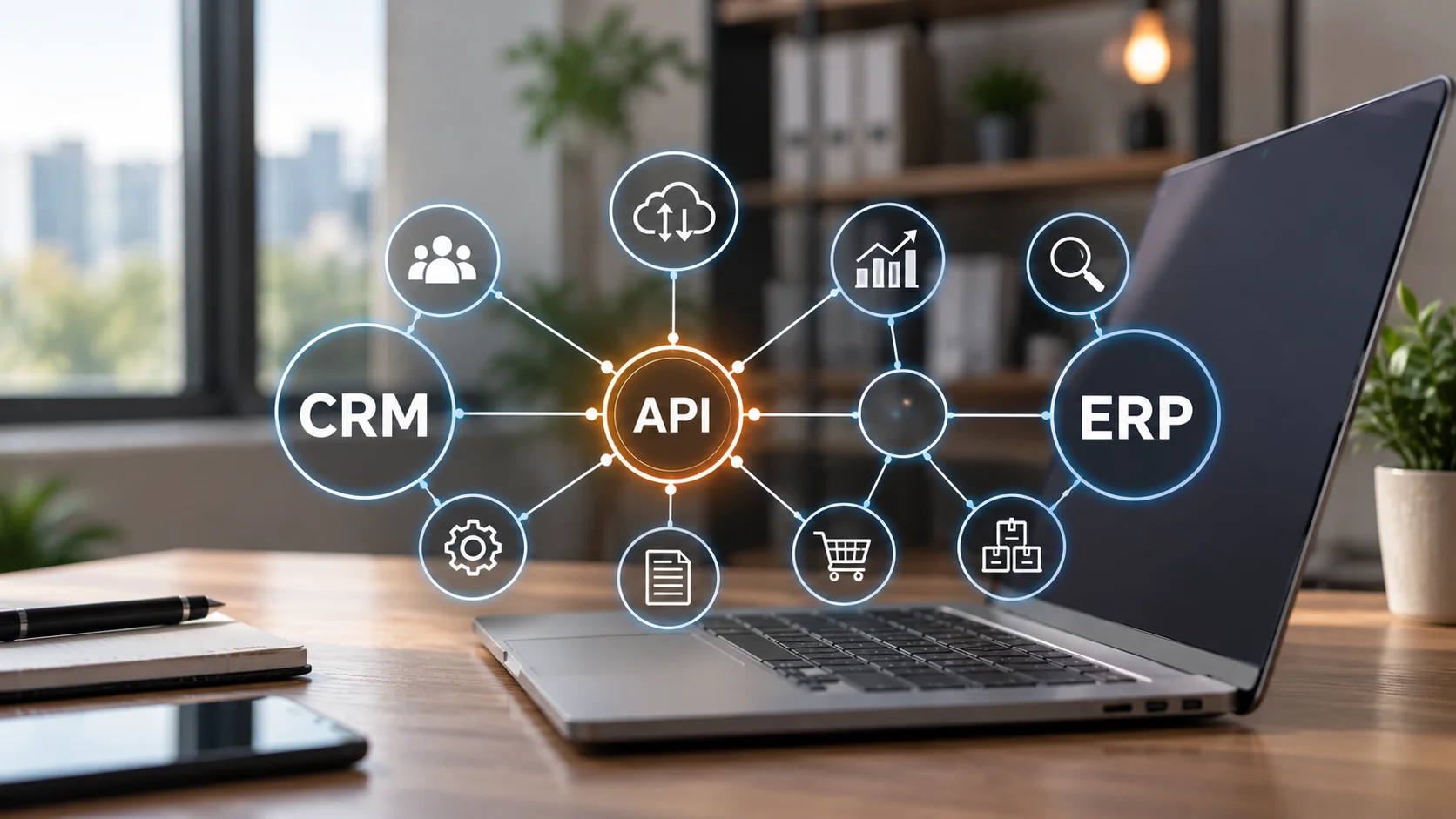
A CRM system (Customer Relationship Management) is your front of house. It keeps track of leads and contacts, follows deals through to the sale, and helps you look after the customers you already have. An ERP (Enterprise Resource Planning) system is the back office. It runs finance, stock, purchasing, and orders.
Neither one is better in general. It depends on where your business is today and what's actually slowing you down. This guide will help you work out whether you need a CRM system, an ERP, or a bridge between the two.
When a CRM system is all you need
Plenty of businesses never need an ERP, and that's perfectly fine. If your main job is tracking customers and closing deals, a good CRM system will do it.
Think of consulting firms, marketing agencies, or any service business. Their days are made of conversations and proposals. They aren't managing warehouse stock or chasing a dozen suppliers, so an ERP would cost a lot and add very little.
A CRM system is usually enough if:
- You sell services, or a small and simple range of products.
- One or two people handle invoicing, and basic accounting software covers it.
- Your real headaches are lost leads, forgotten follow ups, and a sales pipeline nobody can see clearly.
If that sounds like you, don't let anyone talk you into something heavier. A CRM system your team opens every morning is worth far more than an expensive platform nobody wants to learn.
Signs you've outgrown your CRM system
Growth has a way of showing you where your setup is weak. A CRM system that handled 10 clients smoothly can fall apart at 100, especially once physical stock, complicated orders, and suppliers join the picture. Here's what to watch for.
You type the same order in two or three times
Say someone copies an order from the CRM system into the accounting tool, then again into an inventory sheet. Your process is broken. Every copy and paste is a mistake waiting to happen.
Nobody trusts the numbers
Sales says one thing. Finance says another. The warehouse has a third version. Meetings turn into arguments about whose spreadsheet is right instead of what to do next. A single shared database, which is what an ERP gives you, puts an end to that.
You can't say what a sale really costs
A CRM system records what the customer pays. It doesn't show what it cost you to make, pack, ship, and support that order. A deal can look great on screen and still lose money in real life.
The business runs on mental notes
Stock levels sit in a file on Bob's desktop. Purchase orders are buried in an inbox. The production schedule lives in someone's head. It all works right up until that person goes on holiday.
If you nodded along to a few of these, you've probably hit the limit of your current setup. This is usually the moment businesses start looking at ERPs.
CRM system vs. ERP: a quick breakdown
| Area | CRM System | ERP System |
|---|---|---|
| Main goal | Winning and managing customer relationships | Running the whole business, from finance and stock to purchasing and orders |
| Data and visibility | Keeps sales data in one place, but you can't see costs or inventory | One shared database with a live view of money, stock, and operations |
| Workflow | Lead to quote | Quote to delivery and invoice |
| Best suited to | Startups, sales teams, and service providers | Growing businesses with several departments, complex products, or multiple locations |
In short: a CRM system helps you win the business, and an ERP helps you deliver it profitably. That's why so many growing companies end up needing both.
When is the right time to move from CRM to ERP?
There's no magic number here. Complexity matters more than headcount. A 50 person agency can run on a CRM system for years, while a 20 person manufacturer might need an ERP from day one. Ask yourself three questions.
- Is the business getting too complicated for your team? More products, warehouses, and suppliers mean more chaos. If people spend more time untangling logistics than talking to customers, it's time.
- Are you making decisions on old news? If you only find out you're out of stock when a customer complains, or you see your margins a month late, your tools are holding you back.
- Is tax season or an audit a nightmare? Scattered, disconnected files make audits and investor reports painful.
Don't rush the move, though. Keep your CRM system for sales and bring stock and accounting into the ERP a piece at a time. Rushing is the most common reason these projects fail.
Do you actually need both?
Usually yes, though not always the way people expect. You have three realistic paths.
- Keep your CRM system and connect it to an ERP. Your sales team keeps the tool they already like. When a deal closes, it flows into the ERP for billing, stock checks, and delivery.
- Use the ERP's built in CRM. You get one system and one login, which is easy to manage. The sales features may be a little less polished than a standalone CRM system.
- Stay with the CRM system alone. If your business is simple, there's no reason to complicate it.
Don't pick whatever sounds most advanced. Pick the option that cuts the most manual work without making your team miserable.
How we help you choose the right software
At EL-ROI IT Solutions, we don't start by pushing a product. We start with questions, and we treat this as a problem of fit, not a contest over which software has the most features.
- Map the real work. We sit down with your sales team, accountants, and warehouse staff and follow one order from the first hello to the final invoice.
- Rank the headaches. We separate the minor annoyances from the problems that are actually costing you money.
- Find the match. Sometimes you just need a better CRM system. Sometimes it's a single ERP module. And sometimes standard software doesn't fit the way you work, and something custom makes more sense.
- Roll out slowly. A good ERP launch starts small. We usually begin with finance and inventory, then add the rest once your team is comfortable.
Why EL-ROI IT Solutions?
Off the shelf software is great until your business works differently from the template. Forcing it to fit only creates headaches. At EL-ROI IT Solutions, we build around the way you actually operate.
That might mean connecting your CRM system to your accounting software, or building a custom bridge between the two. Our developers stay with you through every step. Let's talk about what your business really needs.
Frequently asked questions
1. What's the real difference between a CRM system and an ERP?
A CRM system handles front end sales and customers. An ERP handles the back end: finance, stock, purchasing, and production.
2. Are ERPs too big for small businesses?
Not anymore. Many modern ERPs are modular, so you can start small and pay only for what you need today.
3. How long does it take to set up an ERP?
It depends. A small, focused rollout can take a few months, and a full company overhaul takes longer. Clean data and a team willing to learn will save you more time than any technical shortcut.
4. Will I lose my customer data if I switch?
No. A good tech team backs up everything and securely migrates or connects your existing data before going live.
5. Do I have to choose just one?
No. Most companies end up running both together, or they use the CRM system that comes built into their ERP software.